 Possible
3.9 KiB
This project is a toy project for training and quality assurance purposes
Task
All this task must be done within 8 hours of working time
-
go into folder task_1 and setup the project
-
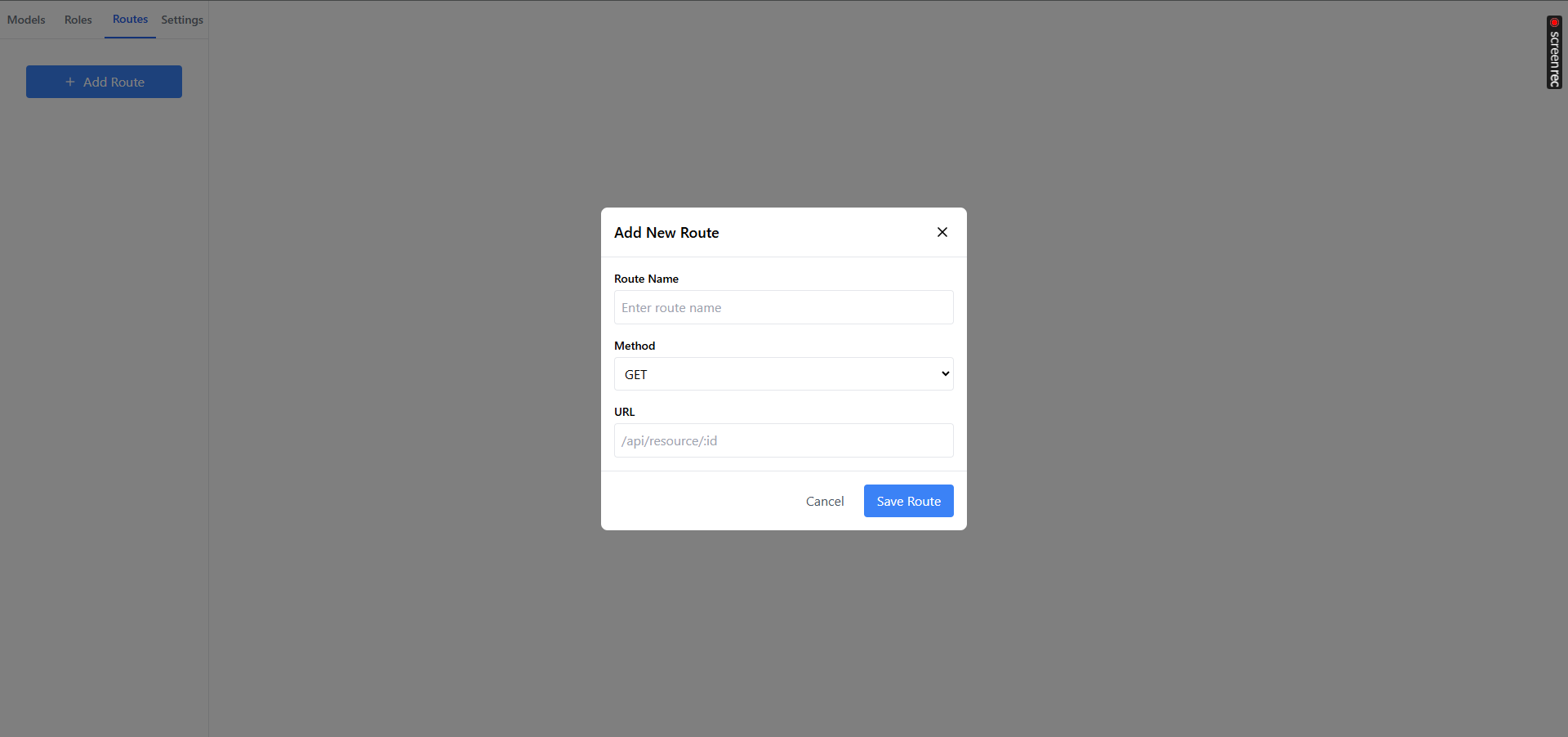
click route and add a new route
see screenshot
-
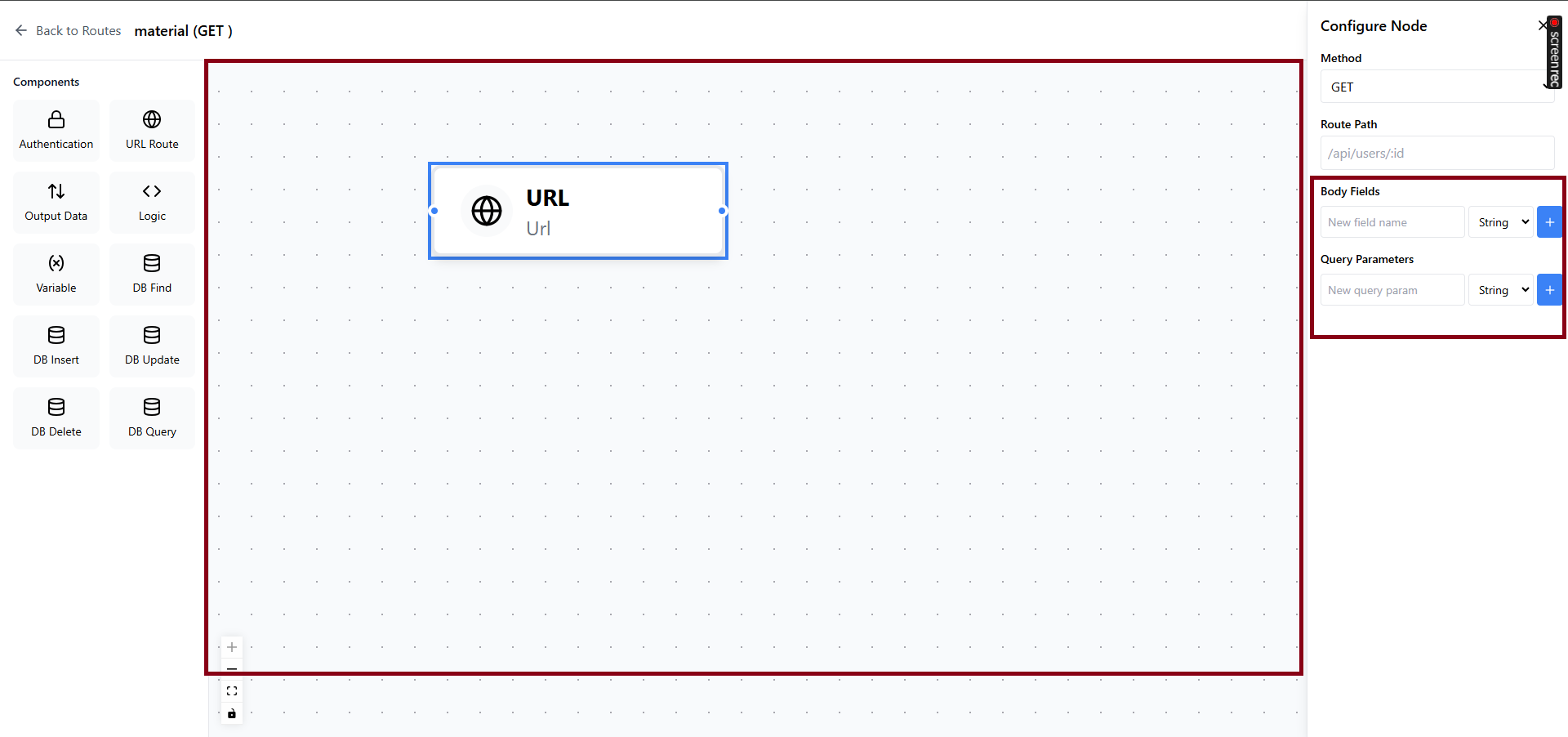
click the <> icon and see the editor for the route
see screenshot
-
click on URL component in the editor, the right side bar will pop up
see screenshot
-
try typing into Body Field new field input, nothing happens. Fix it.
see screenshot
-
once we type into the input, click the plus icon, we will see a gray area below the label Body Field stating the fields : type.
-
try typing into Query Field new field input, nothing happens. Fix it.
see screenshot
-
once we type into the input, click the plus icon, we will see a gray area below the label Query Field stating the fields : type.
-
Switch the state system from zustand to react Context API
-
when you click "Back to Routes" and click on <> again, the state is lost, meaning all edits made are lost, fix it.
-
open task_2 and setup the project
-
type anything into the textarea, click generate.
-
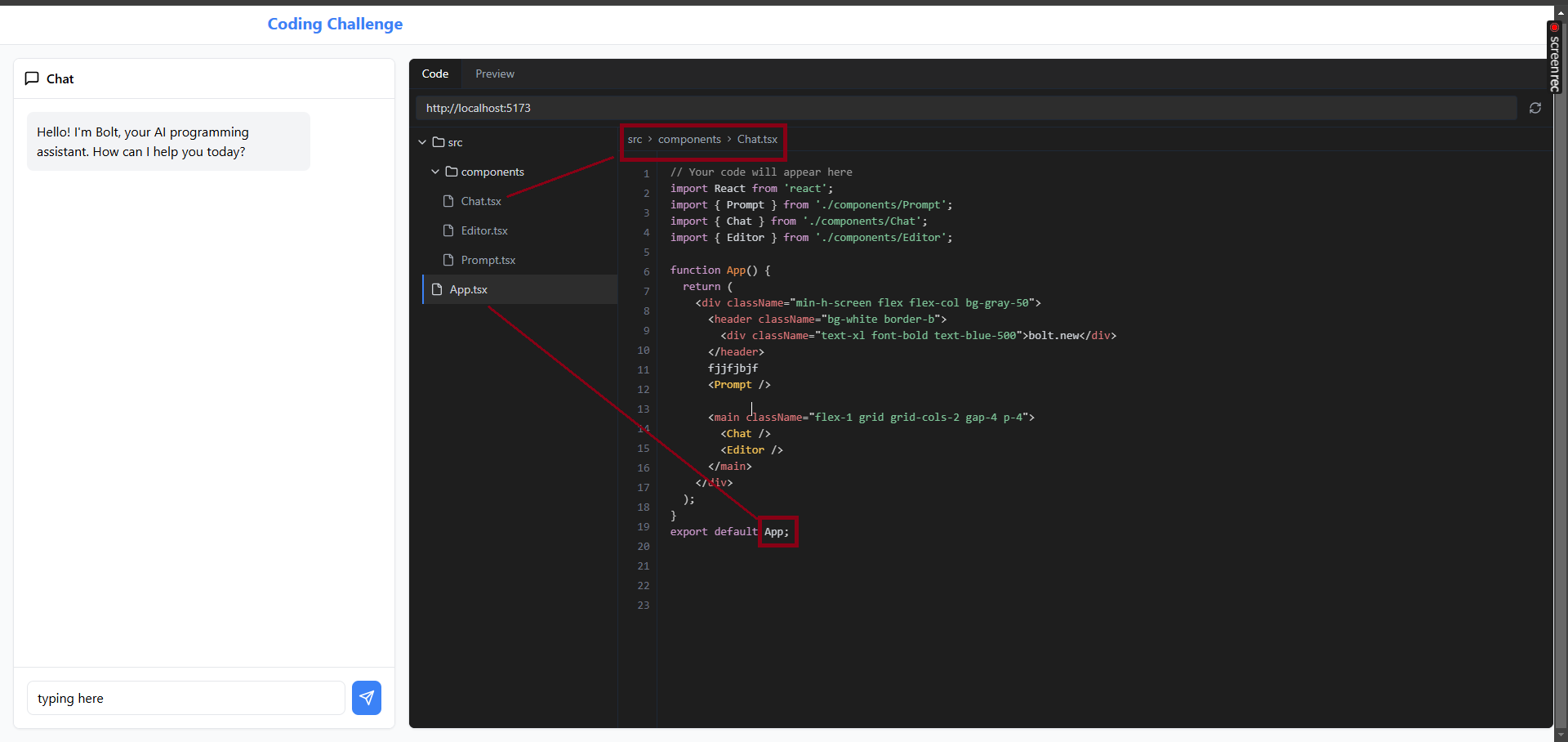
type typing into the code editor and you will see the cursor not aligned with what your typing, fix it.,
the text needs to appear in the same line as your cursor. see screenshots

-
when I click the files in the code editor on sidebar, nothing happens. Fix it.
you need to load the content of the file into the editor. see screenshots
-
open task_3 and setup the project
-
when I upload a PDF file, I dont see a file attached below the dotted box. Fix it.
see screenshots

-
the lines are overlapping the circles in the wizard steps. Fix it.
see screenshots

-
On editor page, when I drag over any of form fields, I don't see them on the document. Fix it. I should be able to edit text there.
see screenshots

-
When I click save, I see table of my document. If I click send icon, I should see document preview with the input fields on same spot as I edited it. Fix it.
see screenshots

-
go into task_4 and run docker-compose up --build, the api will now run on localhost:3000
-
Make a dashboard page like figma file https://www.figma.com/file/veiESwD61KJBa7BpEHtbdl/react-task-2?node-id=1086%3A15525
-
Call paginate api as shown below to get video data. Show 10 per page. Have a next button at bottom when clicked, load next 10 videos


URL: http://localhost:3000/v1/api/rest/video/PAGINATE
METHOD: POST
BODY: {
    "page": 1,
    "limit": 10
}
Response:
{
    "error": false,
    "list": [
        {
            "id": 1,
            "title": "Rune raises $100,000 for marketing through NFT butterflies sale",
            "photo": "https://picsum.photos/200/200",
            "user_id": 1,
            "created_at": "2024-12-09T09:40:08.000Z",
            "updated_at": "2024-12-09T09:40:08.000Z",
            "likes": 10
        }
    ],
    "page": 1,
    "limit": 50,
    "total": 81,
    "num_pages": 2
}
- Call paginate api as shown below to get video data. Show 10 per page. Have a prev button at bottom when clicked, load prev 10 videos
- Use React Drag and drop library https://react-dnd.github.io/react-dnd/about to be able to rearrange the rows and columns in the table in dashboard. On Refresh, the columns go back to default